
Suriname flag

Suriname eSIM

Stay connected while travelling abroad. Our travel eSIM delivers instant international data roaming across, no physical SIM card required. Skip expensive roaming charges and switching providers. Buy data passes before you travel, activate instantly when you land. Simple, affordable connectivity for your trip.

Suriname

eSIM Compatibility

Before you buy, make sure your device supports eSIM and is network unlocked.
  • Works with most newer iPhone, Samsung and Google devices

  • Takes less than 30 seconds to check

Data plans for Suriname

Choose a travel eSIM plan that fits your itinerary and data requirements.

How to Set Up Your eSIM for Suriname

Select a plan
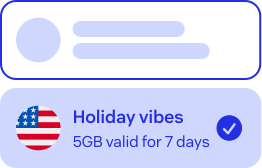
Choose your destination and the best data plan for your travel needs.

Download the app

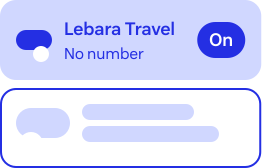
Claim your eSIM through the Lebara Travel eSIM app from the App or Play Store

Install your eSIM

Complete installation before you arrive at your destination.

Get Connected

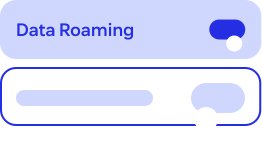
On arrival your plan will automatically activate, but don't forget to turn on your data roaming!

Why Lebara Travel eSIM?

One SIM for life

Global connectivity that stays with you for life

No roaming charges

Roaming included in Data plan

Value for money

Pay local data rates wherever
you travel

24/7 agent support

Get help from real agents, anytime you need it

Frequently Asked Questions

An eSIM is a digital SIM that lets you use Mobile data without a physical SIM card. You install it on your phone and connect when you travel.
Most modern phones have a second SIM slot, which is where the digital eSIM is assigned, allowing you to switch your SIM when you travel abroad.
Check your device's compatibility here.

Yes, you'll need to be online to complete installation. Do it before you leave using your mobile network or Wi-Fi.

Don't stress, installing won’t use any data. The data plan will automatically start when you arrive.

After your purchase, you'll need to download the Lebara Travel eSIM app to install the eSIM on your phone by following the prompts on screen.

We’ll also email you a confirmation and include a link to the app stores.

View more FAQs
need-help-image

Need help?

Can’t find the answer you are looking for? Have a chat with our friendly customer service team.

We are online everyday from 7am - 11pm.

Start a chat
Trustpilot

What our customers say

Trustpilot Star iconTrustpilot Star iconTrustpilot Star iconTrustpilot Star iconTrustpilot Star icon

Got resolution for eSim conversion

KAPIL SWAMY10 October 2026
Trustpilot Star iconTrustpilot Star iconTrustpilot Star iconTrustpilot Star iconTrustpilot Star icon

This is a dawdle to buy through the app and set up when you land in your country of choice. My eSIM showed up as ‘business’ so I didn’t recognise it. I contacted lebara help and they solved the problem straightaway and since then it has been fantastic!! Nitin on the help team was great

Laura Wilcock9 October 2026
Trustpilot Star iconTrustpilot Star iconTrustpilot Star iconTrustpilot Star iconTrustpilot Star icon

Good fast support

Glenn Brudenell9 October 2026
Trustpilot Star iconTrustpilot Star iconTrustpilot Star iconTrustpilot Star iconTrustpilot Star icon

I'm thinking of changing my current mobile provider to Lebara, but had a few questions first. I opened a chat window on the Lebara home page. The agent, Nitin, was very helpful and answered all my questions. The "porting" process was explained clearly. I'll now go via the shopping site and complete my move! Thank you!

Carolyn van Vlijmen9 October 2026

Download the Lebara Travel App and have your holiday at your fingertips.

Easily top up, manage your plan, and check your usage anytime, anywhere.

Rated 4.7 ★ (109K Reviews)
Rated 4.8 ★ (117k Reviews)